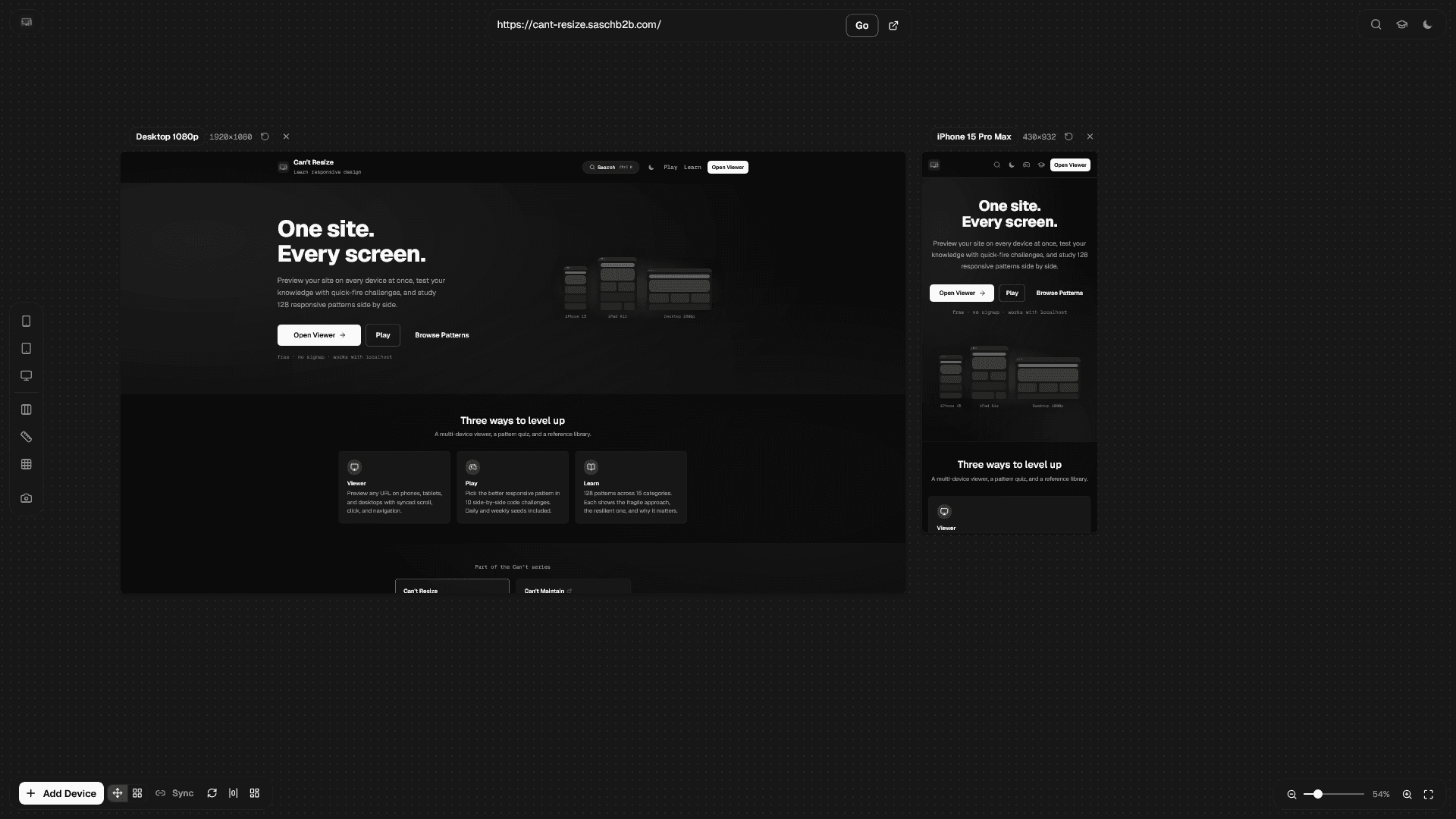
Code reviews kept surfacing the same responsive mistakes. So I built a game, a pattern library, and a multi-device viewer. Here is the framework behind it.
I keep reviewing the same responsive bugs. A max-width: 768px that collides with a min-width: 768px. A useMediaQuery call that flashes the wrong layout on first render. A hero image that loads 2 MB on a phone. The developers writing this code are not junior. They just never had a place to build intuition for what "resilient" looks like compared to "fragile."
Earlier this year I launched Can't Maintain, a game about React component API design. Over 5,000 developers played it. Watching how they learned told me something: the combination of a quick interactive challenge and a reference library of good vs. bad examples is surprisingly effective. People play the game, get a few wrong, then go read the explanations. The game creates the curiosity. The library satisfies it.
So I kept the same framework and applied it to a different problem.
Three tools, one mission
Can't Resize is not just a game. It is three things working together.
The Viewer lets you preview any URL across phones, tablets, and desktops simultaneously. Scroll, click, and navigate in one viewport and every other viewport follows. It works with localhost. You see your responsive bugs in real time instead of toggling Chrome DevTools back and forth.
Play gives you 10 side-by-side code challenges. One snippet is fragile, the other is resilient. You pick which is better. The game tracks your score, supports daily and weekly seeds so your team can compete on the same set, and links every answer back to the pattern library so you can dig deeper.
Learn is the reference library. 128 patterns across 16 categories: media queries, container queries, fluid typography, viewport units, flexbox, grid, responsive spacing, overflow handling, breakpoint hooks, responsive props, conditional rendering, responsive images, MUI responsive, Tailwind responsive, common mistakes, and testing strategies. Every pattern shows the code to avoid, the code to prefer, and explains why.
Why "avoid vs. prefer" works better than documentation
Documentation tells you how to use an API. It does not tell you which of two valid approaches will break in six months. The "avoid vs. prefer" format forces a comparison. You see both options, you form an opinion, and then you read why one is better. That is how intuition gets built.
If you picked B, you are right. MUI's responsive prop objects compile to CSS media queries. No hook, no re-render, no SSR flash. Option A defaults to false during server-side rendering, so mobile users see the desktop layout for a split second before React hydrates and fixes it.
That is the kind of mistake you can read about in a docs page and forget. But if you get it wrong in a timed game and then read the explanation, it sticks.
The learning path
One thing I noticed with Can't Maintain is that a flat list of categories can feel overwhelming. So Can't Resize includes a "Start here" section on the learn page that recommends five categories in order: Media Queries, Flexbox Patterns, Grid Patterns, Responsive Props, and Common Mistakes. It gives newcomers a clear path without hiding anything from people who want to jump straight to a specific topic.
Every category description also includes a "you'll hit this when" trigger. Instead of just saying what the category covers, it tells you the real-world scenario where you will need it. "You'll hit this when a full-screen hero section hides behind the mobile browser toolbar." That kind of grounding makes the abstract concrete.
Part of a series
Can't Resize is the second in what I am calling the "Can't" series. Can't Maintain covers React component API design. Can't Resize covers responsive design patterns. Each site cross-links to the others so players who enjoy one can discover the rest. Same format, different topic.
The pattern is intentional: a game for building intuition, a reference library for deepening understanding, and a tool for applying what you learned. If there is a frontend topic where developers keep making the same avoidable mistakes, it is a candidate for the next one.
Try it
The whole thing is open source, free, and requires no signup.
If your team keeps writing max-width: 768px or wrapping everything in useMediaQuery, send them the link. Three minutes in the game will teach more than another code review comment.